

How Many Backlinks Do I Have: 2026 Expert SEO Guide
 Published:
May 11th, 2026
Published:
May 11th, 2026

Backlinks are vital to improve website authority and search rankings, but quality matters more than quantity. This blog explains how many backlinks you need, how to analyze backlinks using SEO tools, and how ethical link-building

Sahil Bansal
Founder & CEO
13 min read
Last updated: July 23, 2026
How many backlinks does a website need to rank on Google?
It’s one of the most common questions among website owners and SEO professionals. While backlinks remain a key Google ranking factor, no fixed number guarantees higher rankings.
What matters more is the quality, relevance, and authority of the websites linking to you. A few high-quality backlinks can often outperform hundreds of low-value links.
In this guide, you’ll learn how many backlinks your website may need, how to check your existing backlink profile, which tools to use, and proven strategies to build backlinks that strengthen your long-term SEO performance.
Key Takeaways:

No Fixed Backlink Count: There is no universal number of backlinks that guarantees higher rankings. The right amount depends on your niche, keyword competition, website authority, and competitors’ backlink profiles.
Prioritize Quality Links: A few backlinks from relevant and authoritative websites are far more valuable than hundreds of low-quality or spammy links. Google rewards trust and relevance over sheer volume.
Learn from Competitors: Analyzing competitor backlinks helps you understand industry benchmarks, discover valuable referring domains, and identify new link-building opportunities.
Track Backlink Growth: Regularly monitor your backlink profile using tools like Google Search Console, Ahrefs, or SEMrush to identify new, lost, or harmful links and maintain SEO performance.
Stay Away from Spam Links: Backlinks from irrelevant or low-quality websites can hurt your search rankings and even lead to Google penalties. Focus on earning natural, trustworthy links.
Support Backlinks with SEO: Backlinks deliver the best results when combined with high-quality content, technical SEO, and a strong user experience, creating a solid foundation for long-term organic growth.
What Are Backlinks?
Are you afraid of Google SEO penalties? If yes, you need to know about backlinks. Before determining the ideal number of backlinks your website needs, it’s good to understand what a backlink is.
A backlink is an SEO term for a link from an external site to your website. These links are SEO-friendly as they help Google search engines recognise your website’s credibility. They give direct signals to Google that your website is worthy enough to get ranked on SERPs.
Are Some Links Better Than Others?
There are certain guidelines to consider when seeking new backlinks for your website. Though it is vital to remember that not all backlinks serve the same purpose. You can differentiate between these backlinks to choose the right one for your website.
- High-Quality Backlinks: They come from trusted and authoritative websites. These links have a Domain Authority Score of 60 and above. These links significantly improve your performance on search result pages.
- Medium-Quality Backlinks: They come from legitimate sites with moderate domain authority (usually DA score of 40-59). These links are still considered valuable.
- Low-Quality Backlinks: They come from less established websites. They can harm your website efforts and trigger Google penalties.
- Spammy or Low-Authority Backlinks: They come from irrelevant or suspicious websites. These links usually come from link farms and private blog networks (PBNs).
How Many Backlinks Do I Need?
You may often wonder: how many backlinks does my website need? The number of backlinks you need is dependent on parameters such as the number of subpages you want to strengthen, the number of backlinks your competitor has, and the quality of websites from which these backlinks are acquired.
Though no fixed number of backlinks can guarantee higher website rankings, as Google values a backlink’s quality more than quantity. A website targeting low-competition keywords may rank on Google with only a few high-quality backlinks, while its competitors may require stronger authority and a larger backlink profile. Backlinks from relevant, trustworthy, credible, and authoritative websites usually have a greater impact than hundreds of low-quality links.
Understanding how to manage your backlinks and what backlinks you need is vital for your overall SEO success.
How Many Backlinks Does My Competitor Have?
You are required to analyse the number of backlinks acquired by your industry competitors. This is vital because of the following reasons:
- You might not want too many backlinks, especially beyond the number exceeding industry standards, as Google might think that you have acquired them unethically.
- You don’t want to have fewer backlinks than your competitors, as this might put you at a disadvantage.
- Analyzing your competitors’ backlinks is an ideal strategy to know about the valuable websites from which you can get qualitative backlinks.
How Do I Check My Backlinks on Google?
To check your website’s backlinks, use Google Search Console, which is a free tool provided by Google to help website owners monitor search performance and backlink data. It allows you to see which websites are linking to your content, which pages receive the most backlinks, and how your backlink profile supports your SEO performance.
1. Open Google Search Console
Visit Google Search Console and sign in with your Google account. Google Search Console is a free platform that offers valuable SEO insights directly from Google’s search database.
2. Add and Verify Your Website
- Add your website as a property in Google Search Console before accessing backlink data.
- Verify website ownership using one of Google’s supported methods, such as:
- Adding a DNS record
- Uploading an HTML verification file
- Connecting through Google Analytics
- Complete the verification process to confirm that you own or manage the website.
- Access backlink reports only after verification is successful, allowing you to view your website’s backlink data and search performance.
3. Select Your Website Property
- Open the Google Search Console dashboard after verifying your website.
- Select the correct website property from the list.
- If you manage multiple websites, choose the right domain, as each property has its own backlink report.
- This ensures you’re analyzing the correct backlink profile and SEO performance for your website.
4. Navigate to the “Links” Section
On the left sidebar menu, scroll down and click on the “Links” option. This section contains detailed information about both external and internal links associated with your website. Google organizes backlink data here so users can easily understand how different websites and pages are connected to their content.
5. Check External Backlinks
Inside the “External Links” section, you can view the websites linking to your content, the commonly linked anchor text, and your most linked pages. This helps you identify which content attracts the most authority and whether backlinks are coming from relevant and trustworthy sources. Reviewing external backlinks also helps detect suspicious or spammy websites linking to your domain.
6. Analyze Top Linking Websites
Google Search Console displays a list of websites that link to your content the most. By reviewing these domains, you can understand which websites contribute the most authority to your SEO profile. High-quality backlinks from trusted websites generally improve search rankings and website credibility.
7. Review Anchor Text Data
Anchor text refers to the clickable text used in backlinks. Google Search Console shows the anchor texts most commonly linked to your website. Reviewing anchor text helps you understand how other websites describe your content and whether your backlink profile appears natural.
8. Check Internal Links
The “Internal Links” section shows how pages on your own website are linked together. Internal linking is important because it helps search engines understand website structure and distributes authority across different pages. Reviewing internal links also helps identify weak content connections or orphan pages that may affect SEO performance.
9. Export Backlink Reports
Google Search Console allows users to export backlink data directly into a spreadsheet. Exporting backlink reports is useful when performing backlink audits or comparing link growth over time.
10. Identify Harmful or Spammy Backlinks
While reviewing backlink reports, pay attention to irrelevant or suspicious websites linking to your content. Spammy backlinks from low-quality directories, link farms, or unrelated websites can negatively affect SEO performance. Identifying these harmful links early helps reduce the risk of Google penalties.
11. Monitor Backlinks Regularly
Backlinks constantly change when a website adds, removes, or updates links over time. Regular monitoring of these backlinks helps track backlink growth, identify lost links, and detect unusual backlink activity. Thus, maintaining strong SEO performance.
How to Check Your Backlinks with SEO Tools?
Backlinks play a crucial role in improving website authority, search rankings, and overall SEO performance. However, not all backlinks are beneficial. Therefore, regularly analyzing your backlink profile is vital to answer how many backlinks do I have?
SEO tools help website owners identify quality backlinks, detect harmful links, monitor link growth, and understand how their backlink strategy impacts search visibility.
Google Search Console – Detecting Sudden Backlink Changes
Google Search Console is one of the best free SEO tools for users to check backlinks, as the data comes directly from Google. This tool helps website owners understand how Google views their backlink profile and which pages receive the most external links.
Inside the “Links” section, you can view your top-linked pages, referring websites, internal links, and anchor texts. This information helps identify which content attracts backlinks naturally and whether any suspicious websites are linking to your pages.
Google Search Console is especially useful for detecting sudden backlink changes, monitoring SEO health, and identifying harmful links that may affect rankings. Although it does not show every backlink pointing to your website, it still provides reliable data for regular backlink monitoring.
Ahrefs – Ideal for Competitor Research
Ahrefs is among the most powerful SEO tools for backlink analysis and competitor research. It has one of the largest backlink databases as it offers detailed insights into your website’s link profile.
Ahrefs helps users analyze referring domains, backlink quality, anchor text distribution, follow and nofollow links, and newly acquired or lost backlinks. One of its most valuable features is competitor backlink analysis, where you can study competitor websites to discover where they are getting backlinks from.
The tool is also highly effective in finding broken backlinks and identifying link-building opportunities. SEO professionals turn to Ahrefs to understand domain authority growth, monitor backlink trends, and improve overall off-page SEO strategies.
SEMrush – For Detailed Backlink Analysis
SEMrush is a widely popular tool for in-depth backlink audits, toxic link detection, and tracking performance. The tool is helpful for websites recovering from Google penalties as it provides a detailed backlink toxicity analysis.
SEMrush allows users to analyze backlink sources, authority scores, anchor texts, and referring domains. Its backlink audit feature helps identify spammy or harmful backlinks that may negatively affect rankings.
Another perk of SEMrush is competitor comparison. Users can compare their backlink profile with competitors to identify link gaps and new backlink opportunities. The platform also includes outreach tools that help manage link-building campaigns more effectively.
Moz Link Explorer – Known for the Domain Authority (DA) Metric
Moz is a beginner-friendly SEO tool known for its Domain Authority (DA) metric. This tool estimates the strength and credibility of a website. Moz Link Explorer helps users analyze backlinks, linking domains, anchor texts, and spam scores. The tool is especially useful for identifying low-quality or suspicious backlinks that could harm SEO performance.
One of the reasons many beginners prefer Moz is its simple interface and easy-to-understand reports. It provides a clear overview of backlink quality without overwhelming users with advanced technical data.
Ubersuggest – For Basic Banklink Analysis
Ubersuggest is a simple yet affordable SEO tool designed for beginners, bloggers, and small businesses. It provides basic backlink analysis along with keyword and traffic insights.
Ubersuggest helps users track referring domains, backlink growth, anchor texts, and competitor backlinks. While it may not have as extensive a database as Ahrefs or SEMrush, it still offers useful insights for improving backlink strategies.
The platform is especially helpful for users who are new to SEO because of its user-friendly dashboard and simplified reports. It gives website owners a quick understanding of their backlink profile without requiring advanced SEO knowledge
Conclusion
There is no fixed number of backlinks required to rank higher on Google because SEO performance depends on multiple factors such as competition, content quality, website authority, and user experience.
Instead of chasing a specific backlink count, businesses should focus on earning relevant and high-quality backlinks from trusted sources. With the right SEO strategy, quality content, and ethical link-building practices, backlinks can significantly improve search visibility and long-term growth.
With our SEO agency, businesses can build stronger SEO foundations with effective backlink and digital marketing strategies designed by our team.
Frequently Asked Questions
Related Posts
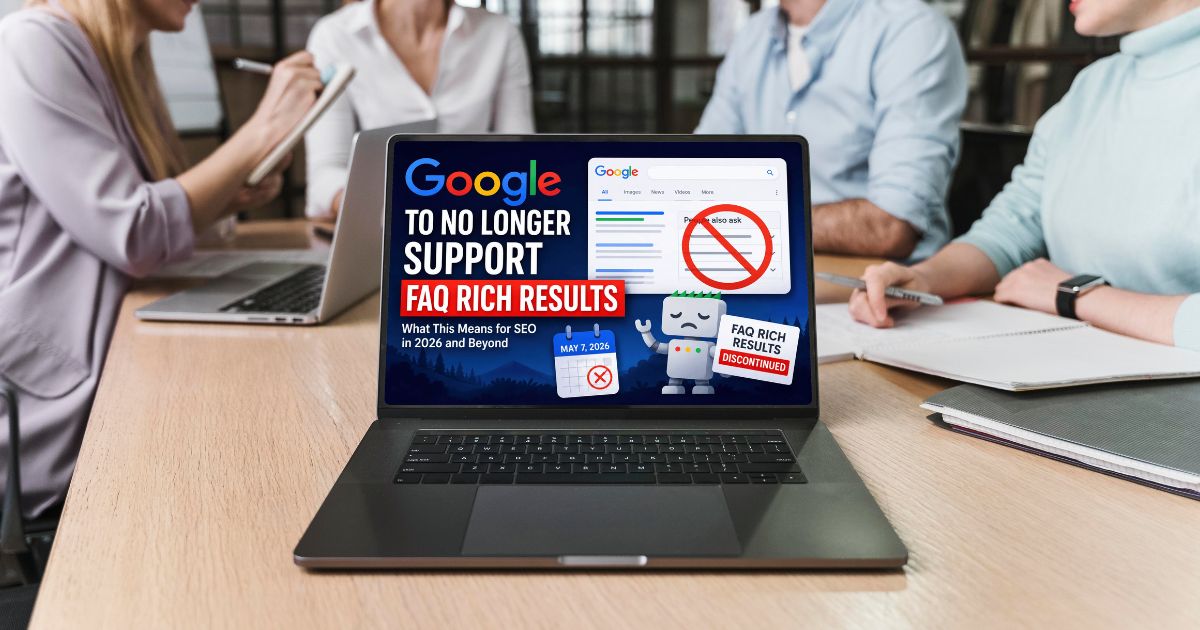
Google No Longer Supports FAQ Rich Results for Most Websites
Google no longer shows FAQ rich results for most websites. FAQ schema now mainly works for trusted government and health websites only.
By Sahil Bansal
Local SEO vs National SEO: Which Strategy Is Right for Your Business?
Local SEO works best for location-based businesses, while national SEO helps brands reach wider audiences across multiple cities or regions.
By Sahil Bansal

Website Migration SEO Checklist for 2026
The website migration SEO checklist is a process to protect rankings, traffic, and backlinks during a website transition. It covers SEO best practices to ensure a smooth migration without harming SEO performance.
By Sahil Bansal