
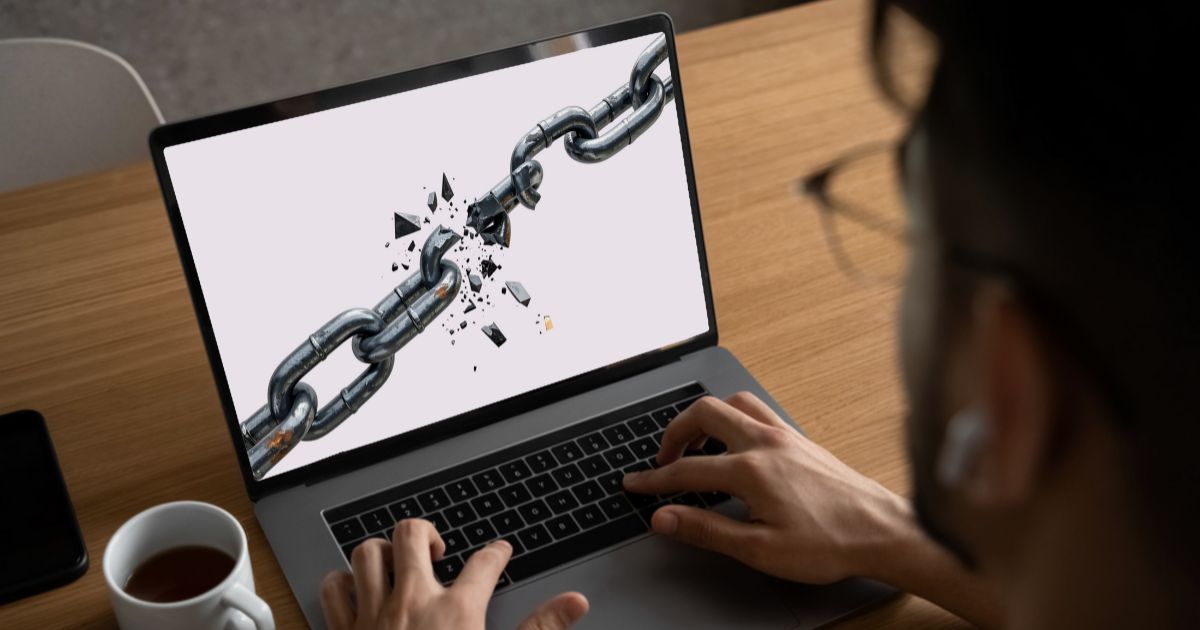
How to Fix Broken Links on Your Website for Better User Experience
 Published:
February 4th, 2026
Published:
February 4th, 2026

Fix broken links to boost SEO, improve user experience, maintain site credibility, and ensure smooth navigation for visitors and search engines.

Sahil Bansal
Founder & CEO
13 min read
Broken links can quietly weaken your website’s credibility and reduce the impact of your SEO efforts. When users encounter dead pages, it interrupts their journey and creates friction that can lead to lost trust and missed opportunities.
Search engines also respond negatively to broken links. They interfere with proper crawling, disrupt internal link flow, and prevent authority from being distributed across important pages. Over time, these issues can limit visibility and slow ranking growth.
This guide explains how broken links influence performance, how to identify them efficiently, and the correct ways to fix them so your website remains accessible, trustworthy, and search-engine friendly.
What Are Broken Links?
Broken links are links that no longer lead to their intended pages. They disrupt navigation, affect search engine crawling, and can reduce user trust and site authority. Identifying and fixing broken links helps keep your site reliable, crawlable, and SEO-friendly.
Types of Broken Links You Should Watch For
Internal Broken Links
These occur when links point to pages within your own website that have been deleted, renamed, or moved without setting up proper redirects. They disrupt site navigation and weaken internal SEO structure.
External Broken Links
These links lead to other websites that no longer exist or have changed their URLs. While they’re outside your control, they still hurt user experience and reduce content reliability.
Broken Image Links
When image files are missing, deleted, or incorrectly linked, images fail to load. This impacts page appearance, slows engagement, and can negatively affect SEO and accessibility.
Broken Redirect Links
These happen when a redirect points to an invalid or outdated destination. Instead of guiding users smoothly, they result in error pages and wasted crawl budget.
Broken Anchor Links
Anchor links stop working when the targeted section or heading is removed or renamed. Users clicking these links don’t reach the intended content, causing frustration.
Why Broken Links Hurt SEO Rankings
Broken links can quietly undermine your website’s performance without you even noticing. They interrupt user journeys, block search engines from crawling your pages properly, and send negative quality signals that affect visibility. Even a few unresolved errors can weaken your site’s structure and reduce its ability to rank competitively.
Disrupt Search Engine Crawling
Broken links create dead ends for search engine bots. When crawlers can’t move smoothly through your site, important pages may be skipped or indexed less effectively.
Waste Crawl Budget
Search engines allocate limited crawling resources to each website. Broken links cause those resources to be wasted on error pages instead of valuable content.
Increase Bounce Rates
Users who encounter broken links often leave immediately. This increases bounce rates and reduces engagement, which can negatively influence SEO performance over time.
Weaken Internal Linking Structure
Internal broken links stop link equity from flowing across your site. As a result, important pages lose authority and struggle to rank.
Damage Trust and Credibility
External broken links send users to missing or unavailable pages. This creates a poor impression and makes your site appear outdated or unreliable.
Signal Poor Website Maintenance
Search engines consider site quality and upkeep when ranking pages. A high number of broken links can signal neglect, lowering overall trustworthiness.
How to Find Broken Links on Your Website
Finding broken links is the first step toward protecting both your search visibility and user experience. These links often go unnoticed until rankings or engagement begin to drop, which is why regular checks are essential.
Use Google Search Console
Google Search Console is one of the most reliable tools for identifying broken internal links. In the Pages or Indexing report, Google lists URLs it attempted to crawl but couldn’t access due to errors. These reports reveal which pages are returning error responses and may be linked incorrectly within your website. Since this data comes directly from Google, it reflects issues that can directly affect search performance.
Run a Full Website Crawl Using SEO Tools
SEO auditing tools such as Ahrefs, SEMrush, or Screaming Frog scan your entire site the same way search engines do. They identify broken internal links, broken external links, redirect chains, and error codes like 404 or 410. These tools are especially useful for larger websites, as they provide a complete overview of where broken links exist and which pages are affected.
Check Key Pages Manually
Manual checks still play an important role, particularly for high-traffic pages. Navigation menus, service pages, blog posts, and footer links should be clicked through periodically to ensure they work correctly. This method helps uncover user-facing issues that automated tools might miss, especially in dynamic menus or custom buttons.
Monitor External Links Regularly
External links can break when other websites remove content, change URLs, or shut down pages. Even though these links point outside your site, they still affect user trust and content quality. Regular seo audits help ensure outgoing links continue to provide value instead of leading visitors to error pages.
Review Changes After Site Updates or Migrations
Website redesigns, CMS migrations, or URL structure changes are common causes of broken links. Pages may be moved or renamed without proper redirects, leaving old links pointing to non-existent URLs. Reviewing your site immediately after major updates helps catch broken links early before they harm rankings or frustrate visitors.
Step by Step Guide: How to Fix Broken Links
Broken links can quietly damage SEO performance and frustrate users if left unresolved. Fixing them properly requires more than quick removals—it involves thoughtful updates, redirects, and long-term maintenance to keep your site healthy.
How to Fix Broken Internal Links
Broken internal links affect crawlability, navigation, and overall site structure, making them a priority to fix first.
Update outdated internal URLs
When internal pages are renamed or moved, links pointing to the old URLs must be updated to the correct destinations. This ensures users and search engines can access content without errors.
Use 301 redirects for permanent page changes
If an internal page has been permanently removed or relocated, a 301 redirect should be implemented to guide users and pass SEO value to the most relevant replacement page.
Follow best practices for internal redirects
Redirects should always point to closely related content rather than generic pages. Each redirect must lead directly to the final URL to preserve efficiency and relevance.
Avoid redirect chains and loops
Multiple redirects between internal pages slow down site performance and confuse search engines. Ensuring a single-step redirect improves crawlability and loading speed.
Replace broken links with relevant internal pages
When a deleted page has no direct replacement, linking to a related page helps maintain logical navigation and prevents dead ends for users.
Fix internal links after redesigns or migrations
Website redesigns and platform migrations often change URL structures. Reviewing and correcting internal links immediately after launch prevents widespread crawl errors.
Update internal links in older content
Older blog posts and archived pages frequently contain broken internal links. Refreshing these links improves long-term content value and site health.
How to Fix Broken External Links
External links enhance credibility, but broken outbound links damage trust and user experience.
Replace dead outbound links with active sources
When an external page no longer exists, replacing it with a similar, live resource keeps content useful and avoids sending visitors to error pages.
Link to updated or authoritative external pages
If a source has moved or been updated, linking to the latest version ensures accuracy and strengthens content reliability.
Remove external links when no suitable alternative exists
If a broken external link cannot be replaced meaningfully, removing it entirely is better than leaving a non-functional reference.
Review external links during content updates
As industries evolve, external resources may become outdated or unavailable. Regular link checks during content updates help maintain quality and relevance.
Common Mistakes to Avoid When Fixing Broken Links
Fixing broken links might seem straightforward, but many website owners make errors that can harm SEO or user experience instead of improving it. Here are the key mistakes to avoid:
Redirecting everything to the homepage
Some sites redirect all broken links to the homepage. While it prevents a 404 error, it confuses users and search engines and can dilute link equity.
Ignoring external broken links
Many focus only on internal links, but broken outbound links hurt credibility and user trust. Regular audits of external links are essential for maintaining content quality.
Using multiple redirects or redirect chains
Creating a chain of redirects slows down page load times and reduces link equity. Every broken link should resolve in a single step to the final, relevant page.
Fixing links without relevance
Redirecting or replacing a broken link with an unrelated page may preserve traffic, but it frustrates users and reduces the overall value of internal linking.
Failing to monitor after site changes
Website redesigns, migrations, or content updates can create new broken links. Not checking for these regularly can undo previous SEO improvements.
Neglecting user experience
Fixing broken links solely for SEO, without considering how users navigate your site, can still lead to frustration. Always prioritize links that maintain smooth navigation and accessibility.
Final Thoughts
Broken links may seem like small issues, but they can quietly undermine your website’s SEO performance, user experience, and overall credibility. Regularly identifying and fixing broken links ensures your site remains crawlable, authoritative, and easy to navigate for both users and search engines.
At Webcazador, we understand how crucial maintaining a healthy website is for long-term SEO success. By implementing proper fixes for internal and external broken links, we help ensure your website performs at its best.
If you’re unsure about the current state of your website or want to prevent broken links from affecting your rankings, contact our experts for a comprehensive website audit. We can identify issues, provide actionable recommendations, and help you maintain a smooth, SEO-friendly site.
Frequently Asked Questions
➢ Identify broken links using tools like Google Search Console, Screaming Frog, or Ahrefs.
➢ Update the URL if the target page has moved or changed.
➢ Use a 301 redirect if the page was permanently deleted, directing traffic to a relevant page.
➢ Replace or remove external links if the linked page no longer exists or has no suitable alternative.
➢ Check after site updates or migrations to ensure no new broken links have been introduced.
Following this process keeps your site functional, improves user experience, and maintains SEO value. We always recommend regular audits to catch issues early.
➢ Page deletions – URLs pointing to deleted pages no longer work.
➢ URL changes – Renaming pages or restructuring your site without redirects breaks links.
➢ Website migrations or redesigns – Changes in site structure can cause many links to fail.
➢ External site changes – Linked websites may remove or move content.
➢ Incorrectly formatted URLs – Typos, extra spaces, or wrong characters in links cause errors.
Understanding the cause helps determine the right solution for fixing the link effectively.
➢ Regular site audits to identify errors quickly.
➢ Updating or replacing internal links with the correct pages.
➢ Implementing 301 redirects for permanently moved or deleted pages.
➢ Replacing or removing broken external links to maintain credibility.
➢ Monitoring after site updates to prevent new broken links from occurring.
By taking these steps, you keep your website user-friendly, SEO-ready, and trustworthy. We always advise a proactive approach to stay ahead of issues.
➢ Reduced credibility and trust – Visitors may leave if they encounter dead pages.
➢ Lower user engagement – Broken links frustrate users, leading to fewer conversions.
➢ SEO performance issues – Broken internal links hinder crawling and ranking potential.
➢ Loss of referral traffic – Outbound links to your site that are broken may reduce incoming links.
Fixing broken links helps protect your online reputation and keeps your website performing at its best. With proper maintenance, we ensure these issues don’t affect your business growth.
➢ Monthly for smaller websites – Quick checks prevent errors from building up and ensure links remain functional.
➢ Quarterly for medium to large websites – Automated tools help track thousands of links efficiently and catch issues before they affect rankings.
➢ After major updates or migrations – Always audit your site after redesigns, URL changes, or CMS migrations to catch any new broken links.
Consistent monitoring ensures your website stays healthy, functional, and search-engine friendly. We always recommend scheduling audits regularly so broken links don’t accumulate unnoticed.
Related Posts
How to Write a Good and SEO Optimized Meta Description
A simple guide to creating clear, engaging meta descriptions that help attract the right audience and enhance search presence.
By Sahil Bansal

Why Your Website Experiences Google and Search Ranking Fluctuation and How to Respond
Google and search ranking fluctuation explained with causes, impact, and practical steps to maintain stable SEO performance, visibility, and consistent growth.
By Sahil Bansal
SEO for Orthodontists: A Complete Guide to Grow Your Practice Online
This guide explains how SEO helps orthodontists improve visibility, attract high-intent patients, avoid mistakes, and achieve consistent long-term.
By Sahil Bansal