

How to Check Backlinks in Google Search Console for Better SEO Insights
 Published:
April 16th, 2026
Published:
April 16th, 2026

Use Google Search Console to track and analyze your website backlinks to boost SEO, spot spammy links, and grow your site’s authority for free.

Sahil Bansal
Founder & CEO
12 min read
- What Are Backlinks and Why Do They Matter?
- Why Use Google Search Console to Track Backlinks
- How to Check Backlinks in Google Search Console (Step-by-Step)
- Tips for Improving Your Backlink Profile
- Complementary Tools for Backlink Analysis
- Make Backlink Tracking Part of Your SEO Routine
Share This Article
Imagine launching a beautifully designed website, publishing great content, and still… crickets. No traffic. No visibility. You’re doing everything right, but Google doesn’t seem to notice. Sound familiar?
You’re not alone. One of the biggest SEO blind spots for website owners, bloggers, and even seasoned marketers is overlooking backlinks, the very signals Google uses to determine authority and trust. In fact, a study by Backlinko analyzing over 11 million Google search results found that pages with the most backlinks ranked higher than those with fewer, making backlinks one of the most powerful off-page SEO factors today.
But here’s the catch: it’s not just about having backlinks, it’s about tracking and understanding them.
- Are the sites linking to you relevant and trustworthy?
- Which pages are attracting the most inbound links?
- Are you unintentionally gathering spammy or low-quality links?
That’s where Google Search Console (GSC) comes in. More than just a performance dashboard, GSC offers a built-in, completely free backlink watch tool that shows you who’s linking to your site, what pages they’re linking to, and how often.
In this guide, we’ll walk you through exactly how to check and analyze backlinks using GSC, so you can turn link data into real SEO results.
What Are Backlinks and Why Do They Matter?
In the simplest terms, backlinks, also known as inbound links, are links from one website that point to another. If another site includes a clickable link to your page, that’s a backlink. Think of them as digital votes of confidence, the more quality websites link to yours, the more credibility your site builds in the eyes of search engines like Google.
But here’s the real kicker: backlinks aren’t just a sign of popularity, they’re a core ranking factor. Google has confirmed time and time again that backlinks help determine which pages rank highest in search results. High-authority backlinks can increase your domain authority, drive referral traffic, and dramatically boost your SEO performance.
According to a study by Ahrefs, 96.55% of content gets zero traffic from Google, often because it has no backlinks.
So, why should you care?
Because backlinks don’t just help users find you, they help Google trust you. Without them, even the best content can get buried on page two (or ten) of search results.
How Do I Find Inbound Links to My Website?
If you’ve ever asked yourself, “how do I find inbound links to my website?”, you’re not alone. Most website owners struggle to find sites that link to a site like theirs. And while third-party tools exist, Google Search Console offers the most reliable and free way to do it.
Good vs. Bad Backlinks: What’s the Difference?
Not all backlinks are created equal. Here’s how to tell them apart:
- Quality Backlinks come from authoritative, relevant, and trustworthy websites. They often have contextual anchor text and appear naturally within the content.
- Spammy Backlinks are links from irrelevant, low-quality, or shady websites (think link farms, automated blog comments, etc.). These can actually hurt your rankings and may even lead to penalties if not disavowed.
Why Use Google Search Console to Track Backlinks
If you’ve ever typed “how to check backlinks using Google” into a search bar, chances are you’ve been bombarded with lists of paid SEO tools, Ahrefs, SEMrush, Moz, and others. While these platforms are powerful, they often come with steep monthly fees, making them less accessible for beginners, freelancers, or small businesses.
That’s where Google Search Console (GSC) comes in, a completely free backlink watch tool straight from the source that matters most: Google itself.
Google-Endorsed and Trustworthy
Unlike third-party tools that estimate backlink data, Google Search Console pulls data directly from Google’s index. This means what you see is what Google sees. If Google is using backlinks to determine your site’s authority, wouldn’t you want to know exactly which links they’re counting?
- GSC is Google’s official recommendation for webmasters looking to monitor link performance, making it one of the most reliable tools for SEO analysis.
Real-Time, Accurate, and Up-to-Date
Backlink data in GSC is updated regularly, giving you access to a live snapshot of your link profile. You can instantly see:
- The domains linking to your site
- The most linked-to pages
- The anchor texts used
- Total number of inbound links
This is especially useful if you’re monitoring recent link-building efforts or trying to identify potential spammy links before they cause harm, especially when paired with our SEO strategy here at Webcazador.
A Free, No-Frills Alternative to Paid Tools
Let’s be honest, not every project justifies a $99+/month SEO tool. If you’re just getting started or focusing on the basics, GSC gives you essential backlink insights without overwhelming complexity or costs.
It’s the perfect entry–level backlink watch tool that helps you:
- Get familiar with your link profile
- Discover new linking opportunities
- Track the results of outreach and guest posting
- Flag suspicious or low-quality links early
How to Check Backlinks in Google Search Console (Step-by-Step)
Step 1: Log in and Select Your Property
Go to Google Search Console and sign in with your Google account. If you haven’t added your website yet, you’ll need to verify ownership. Once done, select your property (i.e., the site you want to analyze) from the list on the dashboard.
Tip: Make sure you’re using the domain-level property to get a complete backlink profile, especially if your site has both HTTP/HTTPS or www/non-www versions.
Step 2: Navigate to the “Links” Section
From the left-hand menu, scroll down and click on “Links.”
This section houses all your backlink data, including:
- External links (from other websites)
- Internal links (within your site)
- Top linking domains
- Anchor text information
This is where you’ll find links to your website that Google has discovered and indexed.
Step 3: Understand the Link Report
Once inside, you’ll see three key insights:
- Top Linking Sites: These are the external domains linking to your site. Great for identifying high-authority backlinks or spotting spammy domains.
- Top Linked Pages (External): Shows which of your pages have received the most backlinks. Helps you understand which content is performing well and earning organic links.
- Top Linking Text: Displays the anchor text other sites are using to link to you. Look out for brand mentions, keyword-rich anchors, or spammy/unrelated terms.
Each of these sections gives you the option to click for more details, where you can see individual URLs and linking patterns.
Step 4: Export and Analyze the Data
Click the “Export External Links” button in the top-right corner of the Links page. You can download your backlink data as a CSV or open it in Google Sheets.
This is incredibly useful if you want to:
- Sort by domain authority (using other tools)
- Identify suspicious backlinks
- Share reports with your SEO team or clients
- Track changes over time
Tips for Improving Your Backlink Profile
Checking your backlinks is just the beginning. To truly grow your website’s authority and organic visibility, you need to actively build and maintain a strong backlink profile. Here are some practical, proven strategies to take your link game to the next level.
1. Create High-Quality Content That Earns Links Naturally
The most sustainable way to earn backlinks is to publish valuable, share-worthy content. When your content solves real problems, offers unique insights, or delivers expert-level information, people are far more likely to link to it organically.
Examples of linkable assets include:
- In-depth guides and tutorials
- Original research or data reports
- Infographics or visual explainers
- Free tools, templates, or checklists
2. Reach Out for Backlinks (Guest Posts, Partnerships, PR)
While passive link earning is great, proactive outreach is often necessary, especially when you’re just starting out.
Here’s how:
- Guest Posting: Offer high-value content to relevant blogs in exchange for a backlink.
- Partnerships: Collaborate with industry peers and mention each other’s content.
- Digital PR: Pitch your content or story to journalists, bloggers, and niche websites.
Tip: Use Google Search Console data to find sites that already link to similar content and reach out to them with a better, more updated version.
3. Disavow Harmful or Spammy Links (When Necessary)
Not all backlinks are good for your SEO. If you notice suspicious or low-quality sites linking to yours, it could signal manipulative link practices, and that’s a red flag for Google.
In such cases, consider using Google’s Disavow Tool (used carefully and sparingly). This tool allows you to tell Google to ignore specific backlinks, so they don’t hurt your site’s ranking.
Only disavow links if you’re sure they’re toxic. When in doubt, consult with an SEO professional.
4. Monitor Your Link Growth Over Time
Don’t just check backlinks once and forget it. Make it a habit to track your backlink profile every few weeks using Google Search Console.
Look for:
- New referring domains
- Drops in linking pages
- Changes in anchor text patterns
- Emerging backlink opportunities
Over time, these insights help you build a resilient and growth-focused SEO strategy, especially when combined with reputation tactics like increasing your Google reviews.
Complementary Tools for Backlink Analysis
While Google Search Console is an excellent starting point for tracking backlinks, especially because it’s free and direct from Google, it does have its limitations. For deeper insights, competitor comparisons, and advanced filtering, you might consider combining GSC with third-party SEO tools. These platforms act as a powerful complement to Google’s backlink watch tool, offering broader perspectives and competitive intelligence that can take your link-building strategy to the next level.
Popular Backlink Analysis Tools Worth Exploring
Ahrefs
Ahrefs is one of the most comprehensive SEO tools on the market, known for its massive backlink index and real-time updates.
- See all backlinks pointing to a domain or URL
- Analyze competitors’ backlink profiles
- Discover broken backlinks you can reclaim
- Identify top referring domains and anchor text
Use case: When you want to go beyond GSC’s data to find new link-building opportunities or perform a competitor backlink gap analysis.
SEMrush
SEMrush provides a well-rounded SEO suite with robust backlink tracking and auditing tools.
- Monitor lost and newly acquired backlinks
- Run toxic link audits
- Identify referring domains by authority score
- Receive alerts for link changes
Use case: Perfect for agencies or businesses looking to automate backlink monitoring and manage multiple websites.
Moz
Moz’s Link Explorer tool is user-friendly and great for beginners who want quick backlink snapshots.
- Domain authority and spam score tracking
- View linking domains and inbound links
- Analyze competitors’ top backlinks
Use case: Great for a lightweight backlink watch tool alternative with educational SEO insights built in.
Why Combine These Tools with Google Search Console?
While GSC gives you a Google-verified view of your backlink profile, these third-party tools can:
- Uncover backlinks GSC may not show (especially nofollow links or very recent ones)
- Track competitor backlink strategies
- Filter and sort by SEO metrics like domain rating, link type, and anchor usage
- Monitor backlink changes over time with scheduled reports and alerts
By pairing GSC with a paid tool like Ahrefs or SEMrush, you get a full 360-degree backlink view: GSC tells you what Google sees, while third-party tools provide extra layers of strategic data for link-building and risk management.
Google Search Console offers a reliable, free solution to stay ahead in a competitive digital landscape. By leveraging this tool effectively, you can turn backlink data into meaningful, results-driven strategies.
If you’re looking to elevate your SEO game with expert guidance and smarter link-building tactics, Webcazador is ready to support your journey. Visit us today and discover how we can help boost your online success through powerful SEO solutions.
Frequently Asked Questions
Related Posts
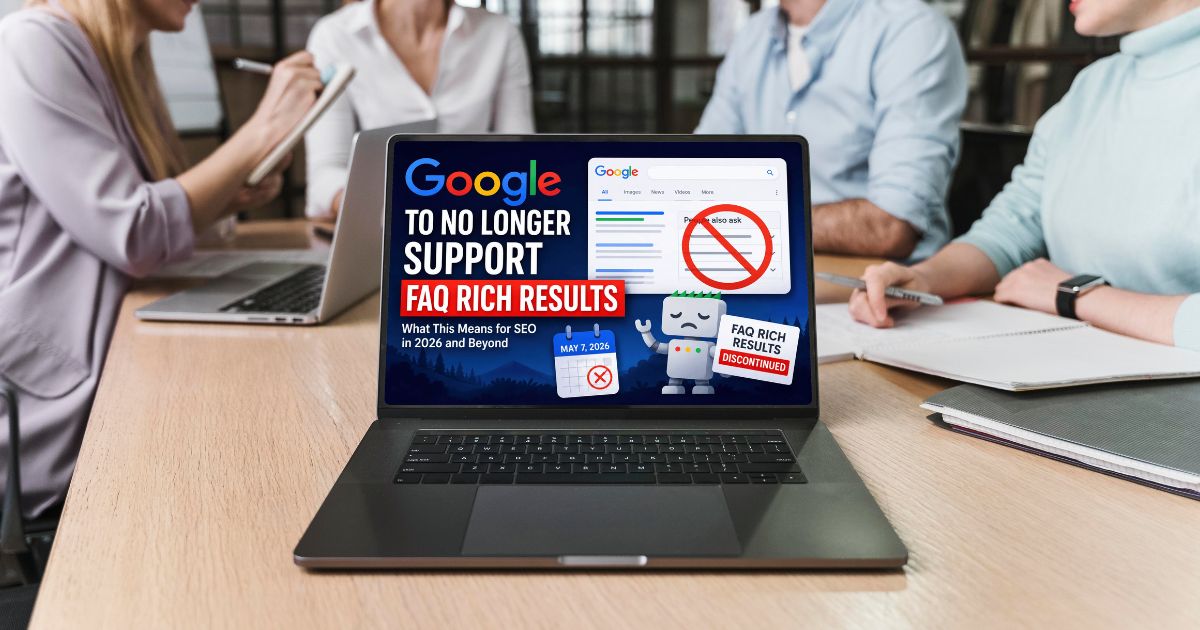
Google No Longer Supports FAQ Rich Results for Most Websites
Google no longer shows FAQ rich results for most websites. FAQ schema now mainly works for trusted government and health websites only.
By Sahil Bansal
Local SEO vs National SEO: Which Strategy Is Right for Your Business?
Local SEO works best for location-based businesses, while national SEO helps brands reach wider audiences across multiple cities or regions.
By Sahil Bansal

Website Migration SEO Checklist for 2026
The website migration SEO checklist is a process to protect rankings, traffic, and backlinks during a website transition. It covers SEO best practices to ensure a smooth migration without harming SEO performance.
By Sahil Bansal